.png?width=200&height=105&name=Newsletter%20Images%20(27).png)
Auction buyers can use Auction Buyer action in Tenant Connect® to confirm that an auctioned unit has been emptied and complete the move-out process.
Access the Auction Buyer Portal
-
From the Tenant Connect home screen, select Auction Buyer? Click Here.
-
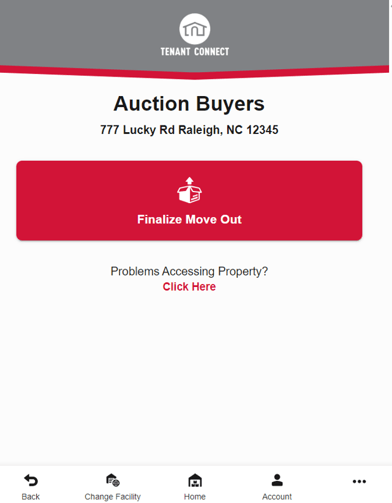
After selecting Auction Buyer? Click Here, the Auction Buyers screen is displayed. Available options include:
-
Finalize Move Out — Begin the auction move-out process.
- Problems Accessing Property? Click Here — Open the facility's contact page for assistance.
-
-
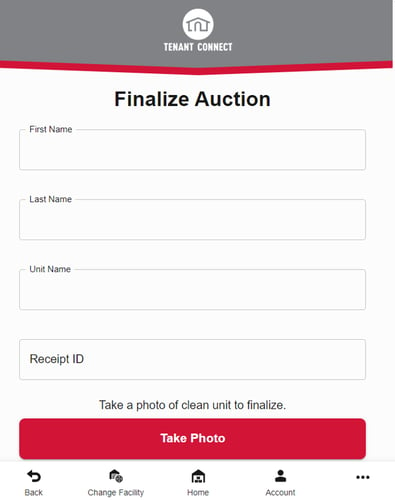
Select Finalize Move Out to begin. The auction buyer will be prompted to enter:
-
Name
-
Unit Number
-
Receipt ID (optional)
-
- After completing the required information, the auction buyer is prompted to take a photo of the unit, review the photo, or submit the photo. For best results:
- Capture the entire empty unit.
- Include the unit number in the photo whenever possible.
-
Upon submitting the photo, the facility is notified by email that the unit has been emptied.
- Facility staff review the submission and complete any remaining move-out steps in the Facility Management Software (FMS).
This option is only available when Support Auction Buyers is enabled by the facility. For more information, see Tenant Payment Settings.