.png?width=200&height=105&name=Newsletter%20Images%20(27).png)
To connect your DaVinci Lock® facility to Hummingbird:
- Sign in to your DaVinci Lock® account.
-
Before integrating an existing facility, add a payment method and review your invoice groups. Integrated facilities are automatically assigned to the Default invoice group unless you choose to assign them to a different group. Please note that starting the integration will enroll the facility in a subscription.
You can review the Subscription FAQs for additional billing information. - Sign in to Tenant's app subscription portal and click the 9-dot icon from the left tree.
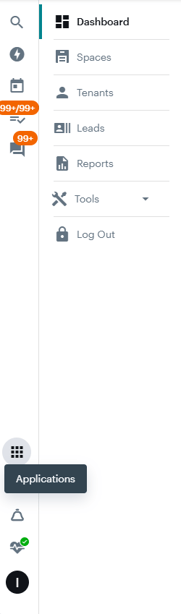
4. Click "Nectar Marketplace".
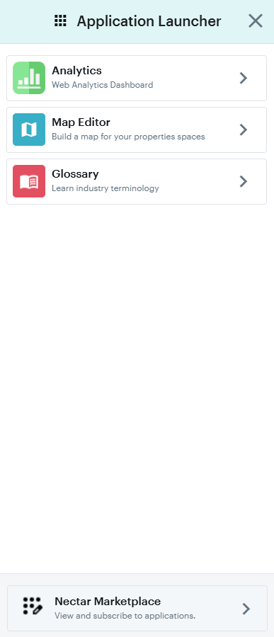
5. Search for DaVinci Lock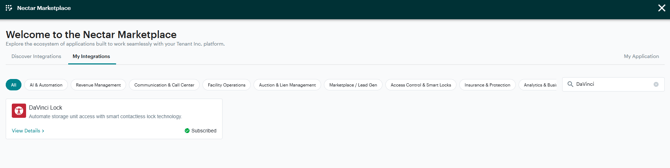 6. Click Subscribe
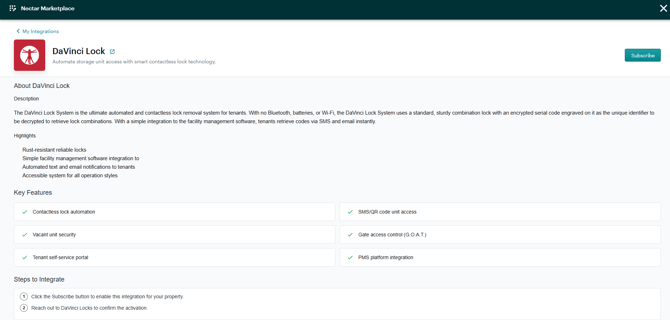
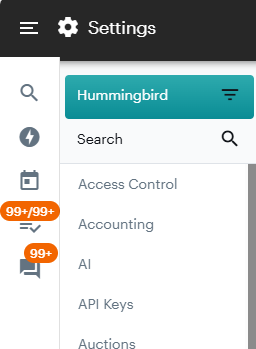
7. Click the 'X' to go back to Settings 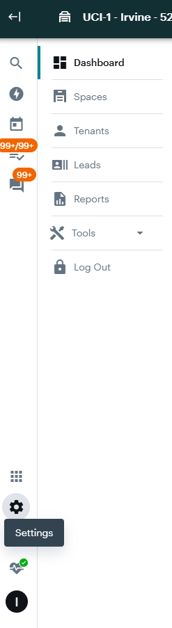 8. Select the upside-down pyramid to the right of Hummingbird.
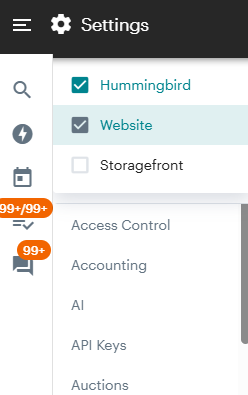
9. Check Website
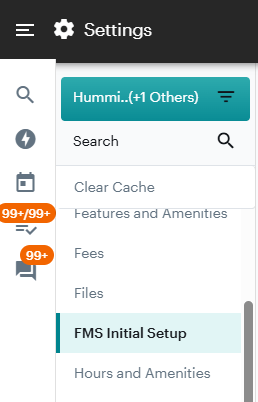
 10. Locate and click FMS Initial Setup. Locate the "GDS ID" for the facility on the right. If you do not have access to the website portal, contact Tenant/Hummingbird for the GDS Facility ID.
11. Email support@davincilock.com with the name of the facility and the "GDS Facility ID".
12. The DaVinci team will finalize integration and confirm back to you.
Congratulations! DaVinci Lock® is now connected to Hummingbird.