To connect your DaVinci Lock® facility to Self Storage Manager Legacy:
- Sign in to your DaVinci Lock® account.
-
Before integrating an existing facility, add a payment method and review your invoice groups. Integrated facilities are automatically assigned to the Default invoice group unless you choose to assign them to a different group. Please note that starting the integration will enroll the facility in a subscription.
You can review the Subscription FAQs for additional billing information. - Create a DaVinci Lock API Key. Add a name for the API- we suggest using the facility name. When prompted to assign facility permission, assign only one API key per facility.
- Click "Integrations", navigate to the "Facilities" tab.
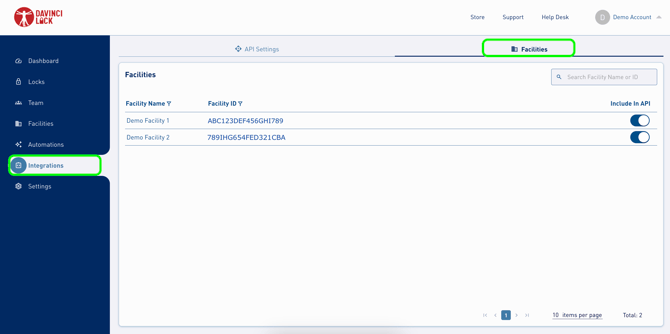
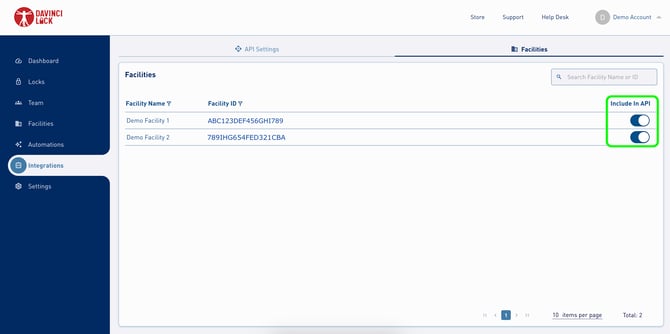
5. Confirm the "include in API" is toggled on for each key.
6. Sign in to Self Storage Manager.
7. Navigate to “Settings:Padlock”, update the "Padlock API" to DaVinci, add https://davincilock.com/API/ as the API URL, and add the API secret and key created for the facility on DaVinciLock.com.
8. Click "Save".
Congratulations! DaVinci Lock® is now connected to Self Storage Manager.