.png?width=200&height=105&name=Newsletter%20Images%20(27).png)
The Gate Access Security Levels setting determines how tenants are verified before requesting gate access through Tenant Connect®.
Why Access Security Level Matters
The selected security level determines how Tenant Connect verifies a tenant before granting access. Depending on the selected option, tenants may be required to:
- Verify their phone number
- Verify their phone number or use their gate code
- Enter only their gate code
For facilities using GOAT, this setting also determines how Tenant Connect identifies the person requesting access in the Gate Access Logs.
How Tenant Connect Identifies Users
Tenant Connect uses information stored in your Facility Management Software (FMS), including:
- Tenant phone number for phone verification
- Gate access code assigned to the tenant
Primary tenants who are in good standing can request gate access through Tenant Connect. Secondary tenants are prompted to enter the gate code associated with the primary tenant's account.
Choosing a Security Level
To view this setting: Company Settings → Tenant Access → Gate Access Security Levels
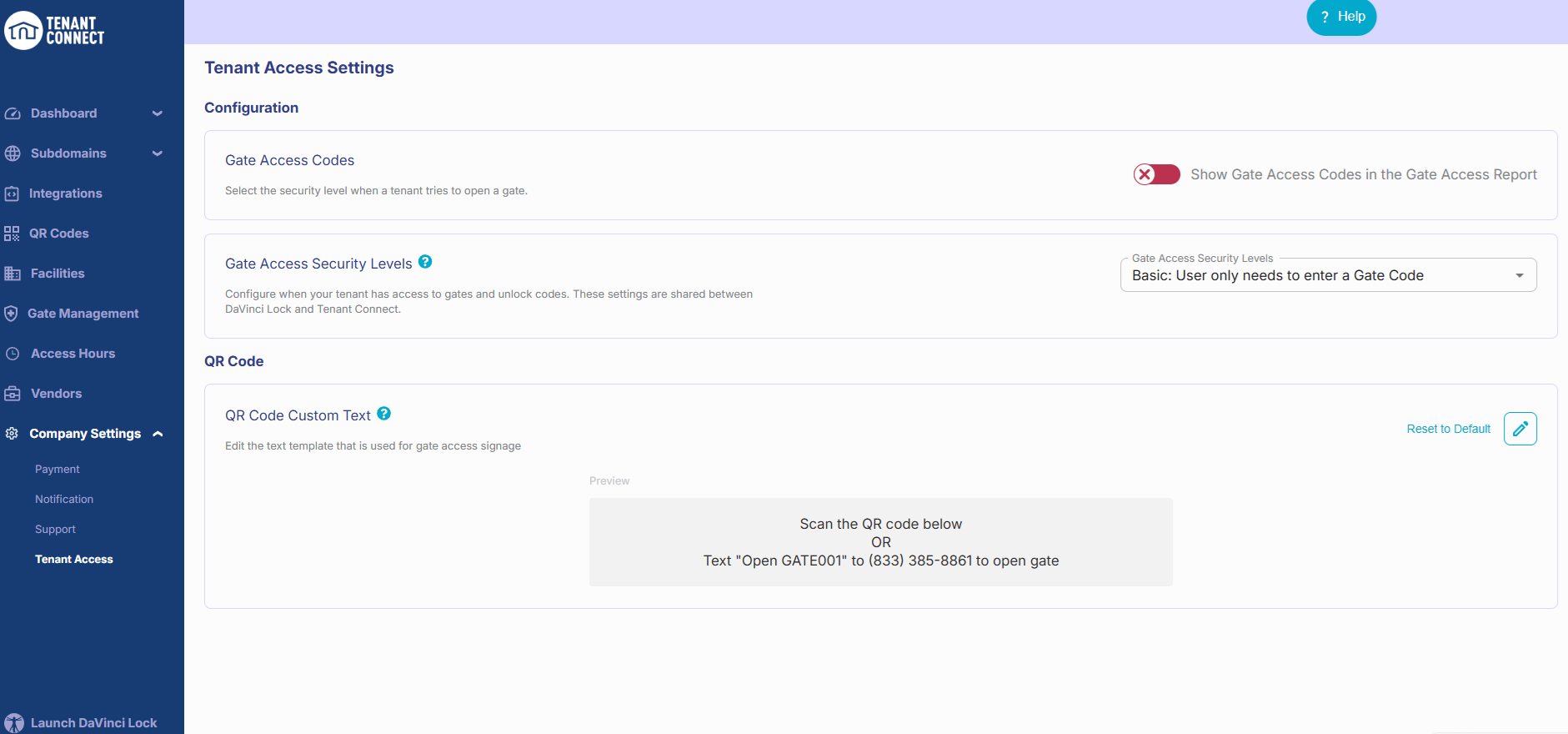
Select the option that best aligns with your facility's access policy.
- Plus — Best for facilities that require phone verification before granting access.
- Enhanced — Best for facilities that want the security of phone verification while allowing a gate-code fallback.
- Basic — Best for facilities that prioritize speed and a traditional gate-code experience.
| Security Level | Verification | Best For | Tenant Requirements |
| Plus | Phone number | Maximum security |
Tenants are required to verify their phone number. If the tenant verifies their phone number and the phone number matches the tenant record in the FMS:
*Note: Non-tenants will be asked to verify the phone number through OTP and then enter the tenant's Gate Code. |
| Enhanced | Phone number or gate code | Balance of security & convenience |
Tenants can verify using their phone number or use their gate code. If the tenant verifies their phone number and the phone number must match the tenant record in the FMS:
If the tenant skips phone verification and uses their gate code:
Tenant Connect validates the existing gate code—it does not create or assign a new one. |
| Basic | Gate code | Fastest access experience |
Tenants can bypass phone number verification and uses their gate code.
Tenant Connect validates the existing gate code—it does not create or assign a new one. |
Phone Number Verification
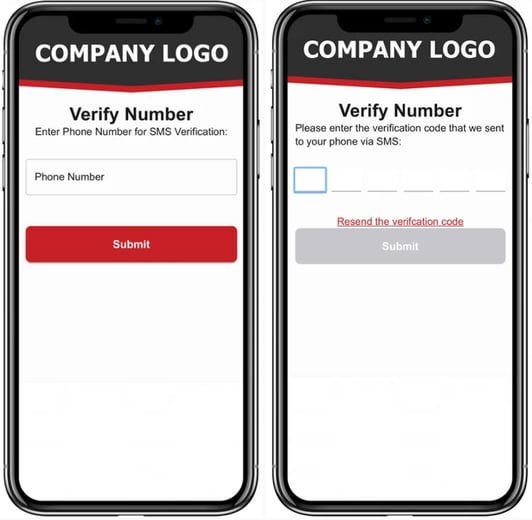
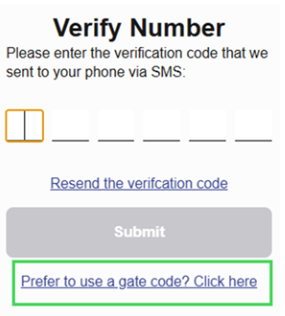
Gate Access Code Verification
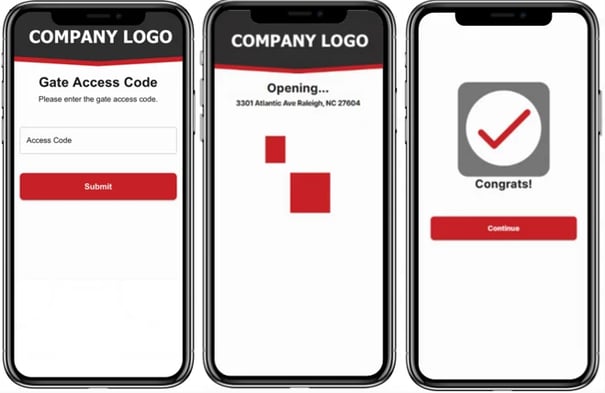
After a user signs in, they remain logged in until they choose to log out. They will not be required to complete verification again unless they log out.