.png?width=200&height=105&name=Newsletter%20Images%20(27).png)
The Payment section in Company Settings controls how payment options are displayed in Tenant Connect®. These settings determine:
- Whether tenants can prepay rent
- Whether tenants can enroll in autopay
- Whether auction buyers can access the auction buyer portal
Open Payment Settings
To view payment settings: Company Settings → Payment
Prepay Months
The Prepay Months setting controls how many months tenants can pay in advance. Available options include:
- Disabled – Tenants can pay only the current balance due. If no balance is due, the Continue button is unavailable.
- 1–6 Months – Tenants can prepay up to the selected number of months.
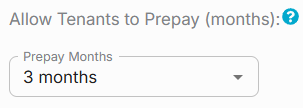
The selected option determines which payment amounts are available during the tenant payment flow. For more information, see Payments.
Autopay
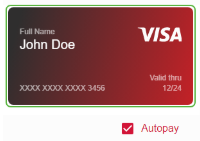
The Autopay setting controls whether tenants can enroll in automatic payments from Tenant Connect. Depending on the selected option:
- The Autopay checkbox may appear selected by default.
- The Autopay checkbox may appear unselected by default.
- Hidden and Off prevents tenants from enrolling in Autopay through Tenant Connect.
For more information, see Payments.
Support Auction Buyers
The Support Auction Buyers setting controls whether the Auction Buyer? Click Here option appears on the Tenant Connect home page.
When enabled:
- Auction buyers can access the auction buyer workflow to complete the move-out process.
When disabled:
- The auction buyer option is hidden from the tenant-facing portal.

For more information, see Auction Buyers.