.png?width=200&height=105&name=Newsletter%20Images%20(27).png)
The Gate Management page provides an overview of all gates and access points connected to Tenant Connect®. From this page, operators can:
- View the status of connected gates and access points.
- Open a facility to review its settings.
- Open a gate to view details or test controls.
- View QR codes associated with a gate.
Open Gate Management
To view connected gates: Tenant Connect → Gate Management
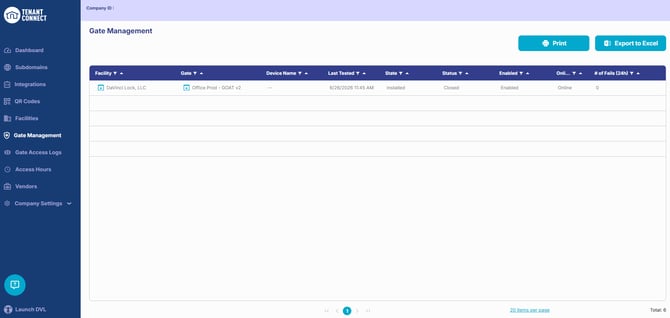
Gate Management Overview
The Gate Management page displays information for each connected gate or access point, including:
- Facility
- Gate or access point name
- Gate status (Open or Closed)
- Last tested
- Installation status
- Connection status (Online or Offline)
- Open link for the facility
- Open link for the gate
Use this page to quickly verify gate connectivity, locate a specific gate, or identify facilities that may require attention.
Open a Facility
Select Open next to a facility to view its details. From the facility page, operators can review and manage facility settings.
For more information, see Facilities.
Open a Gate
Select Open next to a gate or access point to view its details. From the gate details page, operators can:
- View gate information.
- Test gate controls.
- Edit gate settings.
- Manually Open, Close, or Hold Open the gate.
- View QR codes associated with the gate.
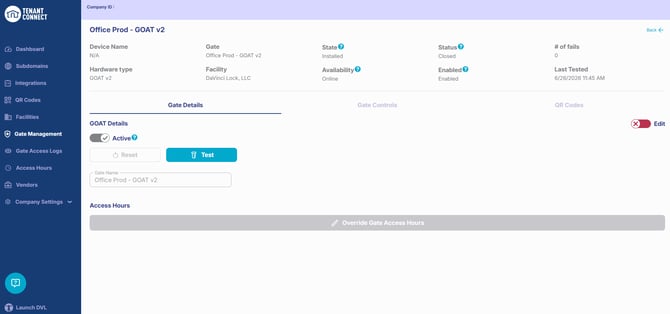
Test Gate Controls
The gate details page includes controls for testing connected gates and access points. Use these controls to:
- Verify the gate is responding correctly.
- Confirm communication with the controller.
- Troubleshoot reported access issues.
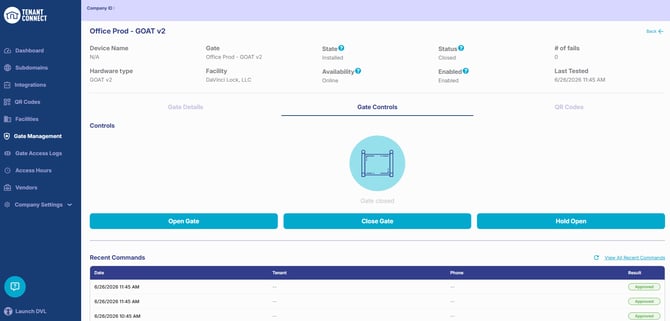
View Gate QR Codes
The gate details page displays QR codes associated with the selected gate or access point. From this page, operators can:
- View assigned QR codes.
- Open a QR code to review its settings.
- Edit QR code configuration, when applicable.
For more information, see Creating and Downloading QR Codes.