.png?width=200&height=105&name=Newsletter%20Images%20(27).png)
The Notification section in Company Settings controls where move-out notification emails are sent in Tenant Connect®. Notifications are sent when:
- A tenant submits a move-out photo.
- An auction buyer submits a completed auction move-out.
Open Notification Settings
To view or update move-out notification settings: Company Settings → Notification
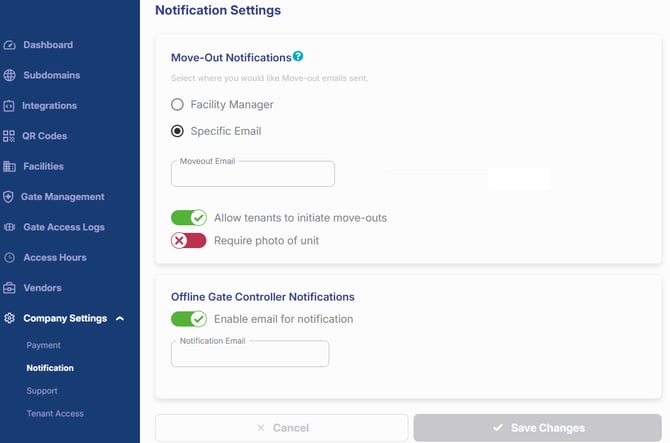
Move-Out Notification Email
The Move-Out Notifications setting determines who receives move-out notification emails. Choose one of the following options:
- Facility Manager — Sends notifications to the facility manager email address configured in the Facility Management Software (FMS).
- Specific Email — Sends notifications for all facilities to the email address entered in this field.
Before saving, verify that the selected email address is actively monitored by staff responsible for reviewing move-out submissions.
When Notifications Are Sent
Move-out notification emails are sent when:
- A tenant submits a move-out photo through Tenant Connect.
- An auction buyer submits a photo to complete an auction move-out.
For more information about these workflows, see Move-Out Notice Submission and Auction Buyers.